
Purchasing Gravesham Season Photos:
- Select TWO photos from the AGE GROUP CATEGORIES. (Shown Below)
- Note down the CODE NUMBERS of the photos you have selected.
- Head over to the Product page and Add it to Cart.(https://graveshamphotos.bigcartel.com/product/gravesham-season-photo)
- Check out and proceed with entering your details.
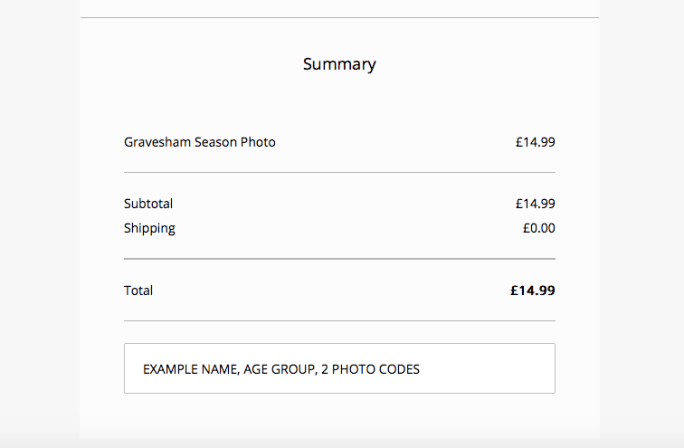
- At the end of check out, underneath the order summary, in the NOTES section,
You MUST provide the:
- Players FULL NAME
- AGE GROUP they were in for the 2018/2019 Season
- The TWO CODE NUMBERS of the photos you want to be used.
EXAMPLE:
6. Your completed order will then be given to your Team Manager or be available for pick up at the Clubs presentation evening on May 18th 2019.
AGE GROUP CATEGORIES:







 clairehylands.com